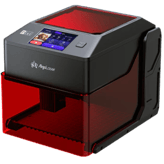
Raymoto R1 Facts: 169 Specifications & 57 Highlights
What makes the Raymoto R1 special? We looked at 169 specs & features in this laser engraver & cutter — including community-favorites like general information, laser module, performance & capabilities & work area.
 Supermod
 Moderator
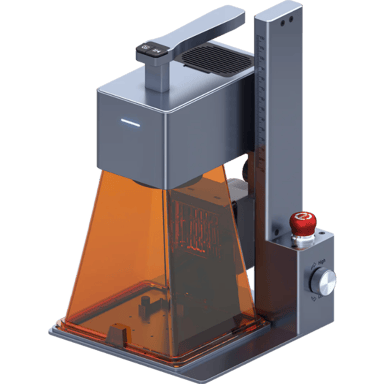
Highlights 57
No extras. Just what matters.Why is Raymoto R1 better than other laser engravers & cutters ?
Performance & Capabilities
Scroll down for more factsMaterial Compatibility
- Can Engrave Wood
- Supports Leather Cutting
- Supports Rubber Engraving
- Handles Coated Metal Engraving Well
- Engraves Food Safely And Creatively
- Can Cut Wood
- Supports Acrylic Engraving
- Supports Acrylic Cutting
- Supports Leather Engraving
- Supports Fabric Engraving
- Supports Fabric Cutting
- Engraves Glass With Precision
- Engraves Stone Clearly
- Engraves Ceramic Effectively
Software & Connectivity
- Features Offline Operation
- Supports Proprietary Tools
- Works With Third-Party Software
- Supports Mobile App
- Supports Wi Fi Connectivity
- Supports USB Connectivity
Safety & Protection Features
- Offers Emergency Stop Button
- Includes Safety Sensors
- Comes With Auto Shutoff
- Features Smoke Detection
- Overheat Protection Available
- Provides Auto Pause on Movement
- Offers Eye Protection Shield
- Provides Laser Key Lock
- Light Filtering Cover Available
- Provides Error Alert Notifications
Power & Electrical
Scroll down for more factsControls & User Interface
- Offers Job Time Estimation
- Supports Multi Language
- LED Work Lights Available
- Features Physical Buttons
- Provides Status Indicator Lights
Workflow & Productivity
- Supports Auto Path Optimization
- Supports Job Repeat Function
- Supports Multi Pass Processing
- Supports Layer Color Mapping
- Includes Material Presets Library
Quick Take
The essentials that matter—nothing extraA fast snapshot of the Raymoto R1, covering its standout specification and what you can expect right out of the box.

Raymoto R1
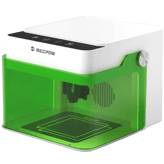
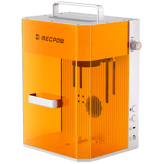
The Raymoto R1 is a revolutionary handheld laser engraver that combines a lightweight, ergonomic design with an incredible engraving speed of up to 2000mm/s. It features a versatile dual-use system that allows you to work traditionally on a tabletop or remove the base to engrave large, vertical, or irregular objects directly. Equipped with a built-in air purifier and five layers of safety protection, it provides a clean and secure environment for customizing everything from wood and leather to stainless steel.
Specifications & Facts 169
Specs measured. Drama avoided.We reviewed the Raymoto R1 laser engraver & cutter from top to bottom. Full specs, side-by-side with other top laser engravers & cutters, plus crowd reactions and ratings.
General Information 9
Raymoto R1 Product Type
What is the product type?
0 Raymoto R1 0 Votes Laser Engraver
Laser Engraver & Cutter in this range Who knows?
Defines the category of the machine.
Raymoto R1 Intended Use Cases
What are the intended use cases?
0 Raymoto R1 0 Votes Hobby, Professional, Industrial, Education
Laser Engraver & Cutter in this range Who knows?
Describes user applications.
Raymoto R1 Supported Operating Systems
Which operating systems are supported?
0 Raymoto R1 0 Votes Android, iOS
Laser Engraver & Cutter in this range Who knows?
Indicates OS compatibility for controlling software.
Raymoto R1 Machine Weight
What is the machine weight?
Laser Engraver & Cutter in this range Who knows?
Total weight of the machine.
Raymoto R1 Control Method
What is the control method?
0 Raymoto R1 0 Votes Software, Mobile App
Laser Engraver & Cutter in this range Who knows?
Defines how the user operates the machine.
Raymoto R1 Frame Type
What is the frame type?
0 Raymoto R1 0 Votes Open Frame
Laser Engraver & Cutter in this range Who knows?
Describes structural design of the machine.
Laser Module 15
Raymoto R1 Laser Wavelength
What is the laser wavelength?
Laser Engraver & Cutter in this range Who knows?

Raymoto R1
The laser operates at 450 nm, a common blue diode wavelength suited for marking and engraving many plastics and coated materials.
Wavelength affects absorption characteristics across different substrates.
Defines the wavelength of the emitted laser light.
Raymoto R1 Laser Spot Size
What is the laser spot size?
0 Raymoto R1 0 Votes 0.08×0.08mm
Laser Engraver & Cutter in this range Who knows?
Raymoto R1
The laser spot size is 0.08×0.08mm which enables fine detail work and crisp edge definition on small features.
A spot this small is helpful for high-resolution engraving rather than heavy cutting.
Defines the diameter of the focused laser spot.
Raymoto R1 Laser Focal Length
What is the focal length?
Laser Engraver & Cutter in this range Who knows?
Raymoto R1
Laser focal length is 1.97 inch, which converts to 5.00 cm.
Focal length influences spot size and recommended working distance for best cut and engraving quality.
Distance from lens to optimal focus point.
Raymoto R1 Adjustable Focus
Does it have adjustable focus?
Yes 0 Votes Raymoto R1
Laser Engraver & Cutter in this range Who knows?
Raymoto R1
Adjustable focus is included, allowing you to set the optimal focal distance for different material thicknesses and desired engraving detail.
This improves versatility across thin and slightly thicker materials.
Allows manual adjustment of laser focusing height.
Raymoto R1 Laser Replaceability
Is the laser replaceable?
Yes 0 Votes Raymoto R1
Laser Engraver & Cutter in this range Who knows?
Raymoto R1
The laser module is replaceable, simplifying maintenance and enabling future upgrades without replacing the whole unit.
This helps extend usable machine life and reduce long-term service costs.
Indicates whether the laser module can be replaced.
Raymoto R1 Laser Power Optical
What is the optical laser power?
Laser Engraver & Cutter in this range Who knows?
The actual cutting/engraving power delivered to materials.
Performance & Capabilities 16
Raymoto R1 Maximum Cutting Depth Wood
What is the maximum cutting depth for wood?
Laser Engraver & Cutter in this range Who knows?
Raymoto R1
Maximum cutting depth for wood is 0.31 inch, about 0.79 cm.
For thicker wood sections, multiple passes or a more powerful laser will be required.
Deepest wood thickness the laser can cut in one pass.
Raymoto R1 Maximum Cutting Depth Acrylic
What is the maximum acrylic cutting depth?
Laser Engraver & Cutter in this range Who knows?
Raymoto R1
Maximum cutting depth for acrylic is 0.2 inch, which is 0.51 cm.
For thick or structural acrylic thicker than this, consider multiple passes or a higher-power cutter.
Deepest acrylic thickness the machine can cut.
Raymoto R1 Engraving Precision
What is the engraving precision?
Laser Engraver & Cutter in this range Who knows?
Raymoto R1
Engraving precision is 0.003 inch, which corresponds to 0.00762 cm.
This sub-millimeter precision supports very fine detail and accurate repeatability for delicate engraving work.
Refers to the smallest detectable engraving detail.
Raymoto R1 Supported Resolution DPI
What is the supported DPI?
Laser Engraver & Cutter in this range Who knows?
Maximum engraving resolution measured in DPI.
Raymoto R1 Maximum Engraving Speed
What is the maximum engraving speed?
Laser Engraver & Cutter in this range Who knows?
The fastest speed at which the machine can engrave.
Raymoto R1 Maximum Cutting Speed
What is the maximum cutting speed?
Laser Engraver & Cutter in this range Who knows?
The fastest speed at which the machine can cut materials.
Work Area 13
Raymoto R1 Work Area Width
What is the work area width?
Laser Engraver & Cutter in this range Who knows?
Raymoto R1
Work area width is 4.92 inch, equal to 12.50 cm.
The compact width is ideal for small parts, jigs, and benchtop projects rather than large-format pieces.
The usable horizontal workspace width.
Raymoto R1 Work Area Depth
What is the work area depth?
Laser Engraver & Cutter in this range Who knows?
Raymoto R1
Work area depth is 4.92 inch, equivalent to 12.50 cm.
The shallow depth further indicates the machine is targeted at small-format production and hobbyist use.
The usable horizontal workspace depth.
Raymoto R1 Work Style
What is the work style?
0 Raymoto R1 0 Votes Open
Laser Engraver & Cutter in this range Who knows?
Indicates whether the device operates in open air or inside a chamber.
Raymoto R1 Work Area Height Clearance
What is the height clearance?
Laser Engraver & Cutter in this range Who knows?
Maximum allowable material height under the laser.
Raymoto R1 Expandable Work Area
Is the work area expandable?
No
0
Votes
Raymoto R1
Laser Engraver & Cutter in this range Who knows?
Indicates if the workspace can be expanded with extensions.
Raymoto R1 Rotary Engraving
Does it support rotary engraving?
Yes 0 Votes Raymoto R1
Laser Engraver & Cutter in this range Who knows?
Indicates support for rotary modules for cylindrical engraving.
Material Compatibility 17
Raymoto R1 Wood Engraving Capability
Can it engrave wood?
Yes 0 Votes Raymoto R1
Laser Engraver & Cutter in this range Who knows?
Raymoto R1
Wood engraving capability is supported, making the machine suitable for signs, decorative panels, and detailed wood artwork.
Proper ventilation and settings help minimize charring on softer woods.
Ability to engrave various types of wood.
Raymoto R1 Leather Cutting
Can it cut leather?
Yes 0 Votes Raymoto R1
Laser Engraver & Cutter in this range Who knows?
Raymoto R1
Leather cutting is supported, enabling production of small leather goods and patterned pieces when using correct settings.
Take care with ventilation and settings to prevent excessive scorching.
Ability to cut leather materials.
Raymoto R1 Rubber Engraving
Can it engrave rubber?
Yes 0 Votes Raymoto R1
Laser Engraver & Cutter in this range Who knows?
Raymoto R1
Rubber engraving capability is included, enabling creation of stamps and textured rubber parts using appropriate settings.
Use recommended power and speed settings to avoid excessive burn.
Ability to engrave rubber materials.
Raymoto R1 Metal Engraving Coated Anodized
Can it engrave coated or anodized metal?
Yes 0 Votes Raymoto R1
Laser Engraver & Cutter in this range Who knows?
Raymoto R1
The machine supports engraving coated or anodized metal surfaces, which is useful for nameplates and marked components.
Engraving on raw metals may require higher power or surface preparation for optimal contrast.
Ability to engrave coated or anodized metals.
Raymoto R1 Food Engraving
Can it engrave food?
Yes 0 Votes Raymoto R1
Laser Engraver & Cutter in this range Who knows?
Raymoto R1
Food engraving is supported, allowing marking of edible surfaces when safe procedures and appropriate cleaning are followed.
Use food-safe practices and consider regulatory requirements for commercial food items.
Ability to engrave edible items.
Raymoto R1 Wood Cutting Capability
Can it cut wood?
Yes 0 Votes Raymoto R1
Laser Engraver & Cutter in this range Who knows?
Ability to cut through wood materials.
Software & Connectivity 12
Raymoto R1 File Format Compatibility
Which file formats are supported?
0 Raymoto R1 0 Votes SVG, PNG, JPG, BMP, DXF, PDF
Laser Engraver & Cutter in this range Who knows?
Types of files the machine can import.
Raymoto R1 Offline Operation
Can it operate offline?
Yes 0 Votes Raymoto R1
Laser Engraver & Cutter in this range Who knows?
Ability to run jobs without a computer or network.
Raymoto R1 Proprietary Software Support
Does it support proprietary software?
Yes 0 Votes Raymoto R1
Laser Engraver & Cutter in this range Who knows?
Indicates support for the manufacturer’s official software.
Raymoto R1 Third Party Software Support
Does it support third-party software?
Yes 0 Votes Raymoto R1
Laser Engraver & Cutter in this range Who knows?
Ability to use external programs like LightBurn or LaserGRBL.
Raymoto R1 Mobile App Support
Does it support a mobile app?
Yes 0 Votes Raymoto R1
Laser Engraver & Cutter in this range Who knows?
Indicates whether a mobile application can control the machine.
Raymoto R1 Wi Fi Connectivity
Does it have Wi-Fi connectivity?
Yes 0 Votes Raymoto R1
Laser Engraver & Cutter in this range Who knows?
Ability to connect wirelessly via Wi-Fi.
Safety & Protection Features 16
Raymoto R1 Emergency Stop Button
Does it have an emergency stop button?
Yes 0 Votes Raymoto R1
Laser Engraver & Cutter in this range Who knows?
Raymoto R1
An emergency stop button is fitted to immediately interrupt power and motion in hazardous situations.
This provides a simple, quick way to halt the machine for operator safety.
Allows immediate shutdown of the laser in emergencies.
Raymoto R1 Safety Sensors
Does it include safety sensors?
Yes 0 Votes Raymoto R1
Laser Engraver & Cutter in this range Who knows?
Raymoto R1
Safety sensors are included to detect unsafe conditions and pause or stop operations automatically.
They reduce reliance on manual intervention and improve overall workshop safety.
Detects unsafe conditions during operation.
Raymoto R1 Auto Shutoff
Does it have auto-shutoff?
Yes 0 Votes Raymoto R1
Laser Engraver & Cutter in this range Who knows?
Raymoto R1
Auto shutoff is present to power down under specific conditions (e.g., errors or extended idle), reducing energy use and risk.
It contributes to both safety and equipment longevity.
Shuts down automatically after job completion or hazard detection.
Raymoto R1 Smoke Detection
Does it have smoke detection?
Yes 0 Votes Raymoto R1
Laser Engraver & Cutter in this range Who knows?
Raymoto R1
A smoke detection feature is present to alert operators to excessive smoke or potential combustion events.
This enhances safety by prompting ventilation or job interruption when needed.
Detects smoke buildup during cutting.
Raymoto R1 Fire Detection System
Does it have fire detection?
No
0
Votes
Raymoto R1
Laser Engraver & Cutter in this range Who knows?
Detects flames during cutting or engraving.
Raymoto R1 Safety Certification Standards
What safety certifications does it have?
0 Raymoto R1 0 Votes CE
Laser Engraver & Cutter in this range Who knows?
Certifications indicating regulatory compliance.
Power & Electrical 13
Raymoto R1 Power Consumption
What is the power consumption?
Laser Engraver & Cutter in this range Who knows?
Raymoto R1
Rated power consumption is 60 W, which is modest and suitable for benchtop workshop circuits.
Actual draw may vary by job, so ensure supply and ventilation accommodate prolonged use.
Amount of power the machine uses during operation.
Raymoto R1 Power Supply Efficiency
What is the power supply efficiency?
Laser Engraver & Cutter in this range Who knows?
Raymoto R1
Power supply efficiency is 85%, meaning most input power is converted usefully with moderate losses as heat.
Higher efficiency helps reduce operating temperature and energy costs during continuous use.
Energy conversion efficiency of the power supply.
Raymoto R1 Surge Protection
Does it have surge protection?
Yes 0 Votes Raymoto R1
Laser Engraver & Cutter in this range Who knows?
Raymoto R1
Surge protection is built in to guard the electronics from voltage spikes, improving reliability and protecting components.
This is especially valuable in areas with unstable mains power.
Protects the laser from electrical surges.
Raymoto R1 Input Voltage
What is the input voltage?
Laser Engraver & Cutter in this range Who knows?
Required operating voltage for the machine.
Raymoto R1 Power Supply Type
What is the power supply type?
0 Raymoto R1 0 Votes External
Laser Engraver & Cutter in this range Who knows?
Type of power supply structure used.
Raymoto R1 Cord Length
What is the cord length?
Laser Engraver & Cutter in this range Who knows?
Length of the included power cord.
Controls & User Interface 9
Raymoto R1 Live Monitoring System
Does it include a live monitoring system?
No
0
Votes
Raymoto R1
Laser Engraver & Cutter in this range Who knows?
Raymoto R1
No live monitoring system is provided, so there is no built-in real-time video feed of the cut/engrave area.
If remote observation is required you should plan to add an external camera or monitoring solution.
Allows real-time monitoring of job status.
Raymoto R1 Job Time Estimation
Does it estimate job time?
Yes 0 Votes Raymoto R1
Laser Engraver & Cutter in this range Who knows?
Raymoto R1
Job time estimation is available to predict how long a given job will take, assisting with scheduling and throughput planning.
Estimates help optimize batch runs and resource allocation.
Provides estimated duration for each job.
Raymoto R1 Multi Language Support
Does it support multiple languages?
Yes 0 Votes Raymoto R1
Laser Engraver & Cutter in this range Who knows?
Raymoto R1
Multi-language support is available to accommodate users who prefer different interface languages.
This improves accessibility for international or multilingual teams.
Supports interface languages beyond English.
Raymoto R1 LED Work Lights
Does it have LED work lights?
Yes 0 Votes Raymoto R1
Laser Engraver & Cutter in this range Who knows?
Raymoto R1
Built-in LED work lights illuminate the cutting area to aid alignment and inspection without external lamps.
They make setup and material positioning easier in low-light environments.
Illuminates the workspace for better visibility.
Raymoto R1 Touchscreen Display
Does it have a touchscreen display?
No
0
Votes
Raymoto R1
Laser Engraver & Cutter in this range Who knows?
Indicates if the machine includes a touchscreen interface.
Raymoto R1 Physical Buttons
Does it have physical buttons?
Yes 0 Votes Raymoto R1
Laser Engraver & Cutter in this range Who knows?
Indicates presence of manual control buttons.
Workflow & Productivity 12
Raymoto R1 Auto Path Optimization
Does it support auto path optimization?
Yes 0 Votes Raymoto R1
Laser Engraver & Cutter in this range Who knows?
Raymoto R1
Auto path optimization is provided to reduce travel moves and improve job efficiency, often lowering total engraving time.
This is useful for batch jobs where small savings per part compound across runs.
Automatically optimizes cutting/engraving path for speed.
Raymoto R1 Custom Preset Storage
Can it store custom presets?
No
0
Votes
Raymoto R1
Laser Engraver & Cutter in this range Who knows?
Allows saving user-defined material settings.
Raymoto R1 Job Repeat Function
Does it support job repeat?
Yes 0 Votes Raymoto R1
Laser Engraver & Cutter in this range Who knows?
Allows repeating a job without reloading the file.
Raymoto R1 Multi Pass Processing
Does it support multi-pass?
Yes 0 Votes Raymoto R1
Laser Engraver & Cutter in this range Who knows?
Allows multiple engrave/cut passes for deeper results.
Raymoto R1 Layer Color Mapping
Does it support color mapping?
Yes 0 Votes Raymoto R1
Laser Engraver & Cutter in this range Who knows?
Assigns engraving/cutting settings based on colors in the file.
Raymoto R1 Batch Processing Support
Does it support batch processing?
No
0
Votes
Raymoto R1
Laser Engraver & Cutter in this range Who knows?
Enables processing multiple items or plates in one setup.
Maintenance & Durability 12
Raymoto R1 Maintenance Alerts
Does it have maintenance alerts?
No
0
Votes
Raymoto R1
Laser Engraver & Cutter in this range Who knows?
Provides reminders for maintenance tasks.
Raymoto R1 Lens Cleaning Requirement
What is the lens cleaning requirement?
0 Raymoto R1 0 Votes Medium
Laser Engraver & Cutter in this range Who knows?
Indicates how often the laser lens needs to be cleaned and how demanding the process is.
Raymoto R1 Module Cleaning Access
How accessible is the module for cleaning?
0 Raymoto R1 0 Votes Easy
Laser Engraver & Cutter in this range Who knows?
Indicates how easy it is to access the laser module for cleaning and maintenance.
Raymoto R1 Dust Protection Rating
What is the dust protection rating?
0 Raymoto R1 0 Votes Low
Laser Engraver & Cutter in this range Who knows?
Indicates resistance to dust intrusion.
Raymoto R1 Structural Rigidity
What is the structural rigidity?
0 Raymoto R1 0 Votes Medium
Laser Engraver & Cutter in this range Who knows?
Measures how stable and vibration-resistant the frame is.
Raymoto R1 Frame Material
What is the frame material?
0 Raymoto R1 0 Votes Aluminum
Laser Engraver & Cutter in this range Who knows?
Indicates durability and strength of the frame.
Environmental Conditions 10
Raymoto R1 Recommended Room Conditions
What are the recommended room conditions?
0 Raymoto R1 0 Votes Moderate
Laser Engraver & Cutter in this range Who knows?
Raymoto R1
Recommended room conditions are Moderate, indicating typical indoor temperature and humidity without strict climate control.
This level is suitable for hobbyist and general workshop environments but not for tightly controlled lab conditions.
Describes the ideal ambient room conditions required for stable, safe machine operation.
Raymoto R1 Operating Temperature Range
What is the operating temperature range?
0 Raymoto R1 0 Votes 50–95°F
Laser Engraver & Cutter in this range Who knows?
Recommended temperature range for safe operation.
Raymoto R1 Storage Temperature Range
What is the storage temperature range?
0 Raymoto R1 0 Votes 32–113°F
Laser Engraver & Cutter in this range Who knows?
Temperature range suitable for storing the machine.
Raymoto R1 Operating Humidity Range
What is the operating humidity range?
0 Raymoto R1 0 Votes 10–80% RH
Laser Engraver & Cutter in this range Who knows?
Humidity levels tolerated during operation.
Raymoto R1 Storage Humidity Range
What is the storage humidity range?
0 Raymoto R1 0 Votes 5–90% RH
Laser Engraver & Cutter in this range Who knows?
Humidity levels allowed during storage.
Raymoto R1 Noise Level
What is the noise level?
Laser Engraver & Cutter in this range Who knows?
Noise produced during operation.
Accessories & Add-Ons 10
Raymoto R1 Optional Honeycomb Bed
Is an optional honeycomb bed supported?
Yes 0 Votes Raymoto R1
Laser Engraver & Cutter in this range Who knows?
Raymoto R1
An optional honeycomb bed is supported, which improves airflow and reduces reflection during cutting tasks.
This accessory is beneficial for cleaner cuts and easier material support.
Indicates whether a honeycomb bed can be added.
Raymoto R1 Rotary Attachment
Is a rotary attachment included?
Yes 0 Votes Raymoto R1
Laser Engraver & Cutter in this range Who knows?
Indicates whether a rotary tool is included for cylindrical engraving.
Raymoto R1 Riser Base
Is a riser base included?
No
0
Votes
Raymoto R1
Laser Engraver & Cutter in this range Who knows?
Indicates whether a riser base is included to increase height capacity.
Raymoto R1 Air Assist
Is air assist included?
No
0
Votes
Raymoto R1
Laser Engraver & Cutter in this range Who knows?
Indicates whether an air assist pump is included.
Raymoto R1 Exhaust Fan
Is an exhaust fan included?
Yes 0 Votes Raymoto R1
Laser Engraver & Cutter in this range Who knows?
Indicates whether an exhaust fan is provided.
Raymoto R1 Smoke Purifier Compatibility
Is it compatible with smoke purifiers?
Yes 0 Votes Raymoto R1
Laser Engraver & Cutter in this range Who knows?
Indicates compatibility with external smoke purification systems.
Warranty & Support 5
Raymoto R1 Response Time
What is the response time?
0 Raymoto R1 0 Votes 24 Hours
Laser Engraver & Cutter in this range Who knows?
Raymoto R1
Response time for support is 24 Hours, indicating inquiries are typically acknowledged within one business day.
This is helpful for planning maintenance or troubleshooting timelines.
Expected support response time.
Raymoto R1 Warranty Length
What is the warranty length?
0 Raymoto R1 0 Votes 1 Year
Laser Engraver & Cutter in this range Who knows?
Duration of the general product warranty.
Raymoto R1 Customer Support Channels
What customer support channels are available?
0 Raymoto R1 0 Votes Email
Laser Engraver & Cutter in this range Who knows?
Available customer service methods.
Raymoto R1 Online Knowledge Base
Is there an online knowledge base?
Yes 0 Votes Raymoto R1
Laser Engraver & Cutter in this range Who knows?
Provides online guides, FAQs, and troubleshooting.
Raymoto R1 Software Support Duration
What is the software support duration?
Laser Engraver & Cutter in this range Who knows?
Length of time software updates are guaranteed.
Surveys
Because hot takes deserve votes.Raymoto R1 Cutting and Engraving Precision
How precise is this laser engraver and cutter during detailed engraving and cutting work?
Raymoto R1 Speed
How fast does this laser engraver and cutter complete standard engraving or cutting jobs?
Raymoto R1 Material Compatibility Range
How versatile is this laser engraver and cutter when working with different material types?
Raymoto R1 Work Area Size
How suitable is the work area size of this laser engraver and cutter for different project dimensions?
Raymoto R1 Noise Level
How quiet is this laser engraver and cutter during operation?
Raymoto R1 Connectivity Options
How flexible are the connectivity options available on this laser engraver and cutter?
Raymoto R1 Maintenance Requirements
How easy is it to maintain this laser engraver and cutter over time?
Raymoto R1 Heat Management
How well does this laser engraver and cutter manage heat during extended operation?
Raymoto R1 Power Consumption
How energy efficient is this laser engraver and cutter during operation?
Raymoto R1 Portability
How portable is this laser engraver and cutter for moving between work areas?
Guides 1
Yes, we brought proof.Articles 1
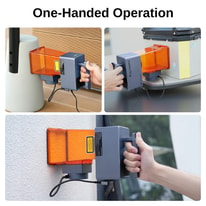
Raymoto R1 Owner’s Manual
Reviews 0
The good, the bad, and the brutally honest.Average Rating

Discussions 0
Thoughts, takes, and hot debates.Awards 0
Only the best made it here.Collections 0
Treasures You’ve picked. No fluff, all fun.More Laser Engravers & Cutters 1
Unlock more awesome finds.Laser Engravers & Cutters like Raymoto R1 1